Brian’s running Ultramarine, which is Fedora underneath, and wanted SELinux disabled outright. Fair enough, plenty of people go straight for that.
the disable route
Two ways to actually do it. The config file way:
sudo sed -i 's/^SELINUX=.*/SELINUX=disabled/' /etc/selinux/config
sudo reboot
Or through grubby instead, setting it as a kernel argument, which survives even if the config file gets reverted or overwritten somehow:
sudo grubby --update-kernel=ALL --args="selinux=0"
sudo reboot
Check it landed after reboot:
getenforce
Should say Disabled.
permissive first
Note: fully disabling SELinux means no policy loads at all, and turning it back on later is a proper pain. You need a full relabel, touch /.autorelabel then reboot, and on a bigger drive that can sit there for ten plus minutes looking like it’s hung when it’s actually just working through every file on disk.
His box is a fresh Ultramarine install, nothing complicated running on it, no services to worry about breaking. Still made the case for permissive first anyway, just as a general habit. It logs every denial it would have blocked instead of actually blocking anything, so you get to see what SELinux was about to stop before you commit to switching it off completely. Costs nothing to check first.
re-enabling it later
if later brian wanting it back on. The command’s simple enough:
sudo sed -i 's/^SELINUX=.*/SELINUX=enforcing/' /etc/selinux/config
sudo touch /.autorelabel
sudo reboot
That /.autorelabel step isn’t optional. Skip it and every file’s security context is wrong, since none of that labeling happened while SELinux was off. Do expect the reboot to look stuck for a while, that’s normal, it’s relabeling the whole filesystem in the background.
Checked back in and getenforce came back Permissive, so somewhere in the conversation he’d actually landed on permissive instead of full enforcing. Fine outcome either way, better than disabled.
Ran the full toggle test to make sure both directions actually worked before deciding what to leave it on:
sudo setenforce 1
getenforce
Flipped clean to Enforcing.
then i couldn’t figure out his hostname
Terminal was Konsole, Dolphin sitting open behind it, and the hostname staring back at me was just 2001-1960-600c-0d6a-7fba-72a2-712c-05b9. Took a second to realise that’s literally his IPv6 address with the colons swapped for dashes. Classic Tailscale MagicDNS behaviour when a device never gets a proper hostname set, it just falls back to using the address itself as the name.
Sorted that for him too:
sudo hostnamectl set-hostname brians-penis
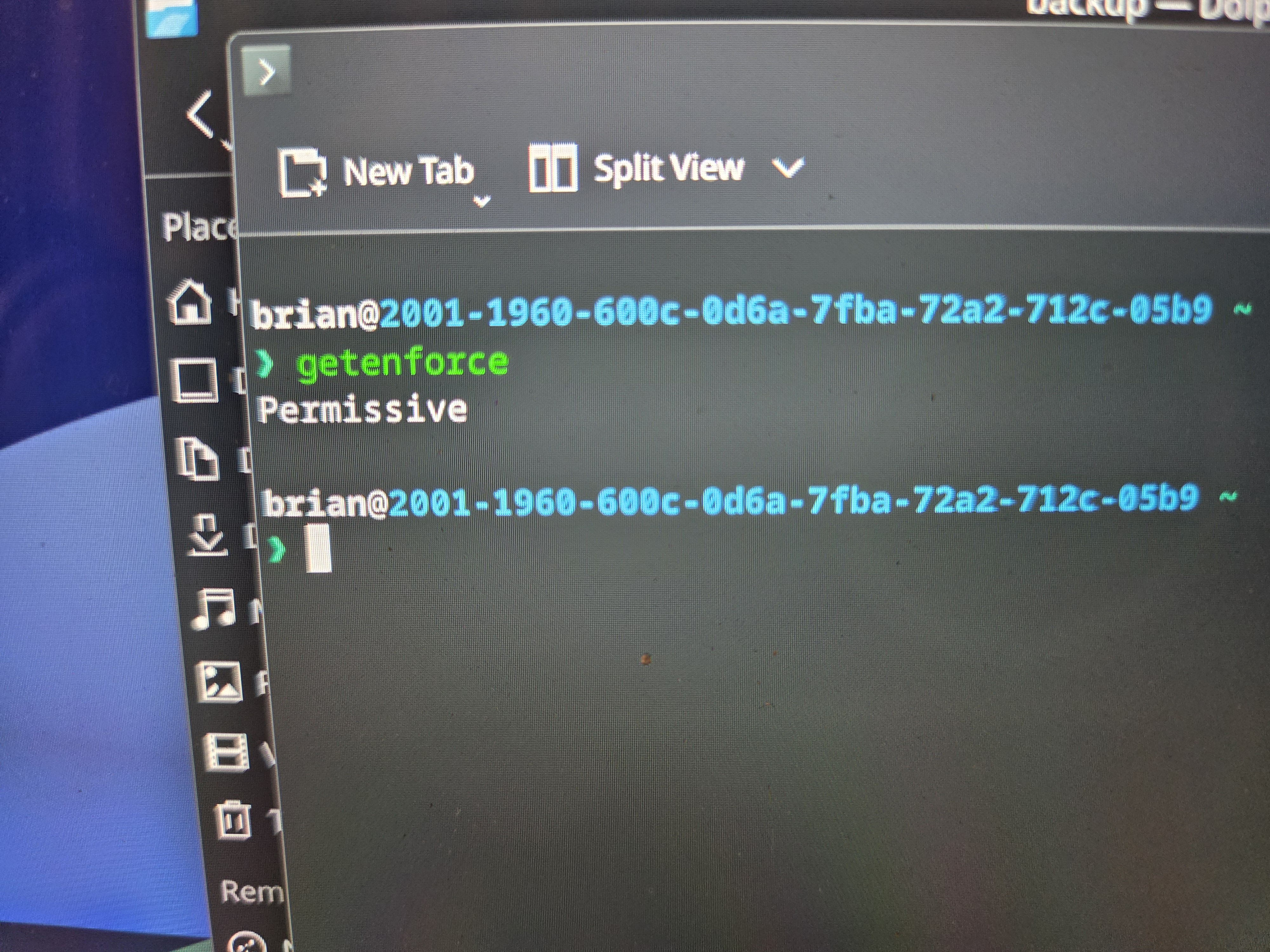
New terminal sessions should show brian@brians-penis from here on instead of a wall of hex.
Small job, ended up covering disable versus permissive versus enforcing, the autorelabel gotcha, and a hostname that looked like a ransom note. All in one sitting.